How to open a YouTube Shorts link without the YouTube app (Android)
Why a Shorts link lands in the YouTube app on Android, and how to have Outplay play just that one Short instead. Includes the Only play Shorts setting and what is different about YouTube's player.
Someone sends you a YouTube Short. You tap it and the YouTube app opens on that Short, with the next one a swipe away. If you only wanted the one video, that is the wrong place to land. On Android, you can change that.
Why Shorts open in the app
The YouTube app is set up to open YouTube links, which is why a tap lands there. That setting is Android’s, not a fault with the link. It is also why Outplay needs one change on your phone before a tap can reach it.
What Outplay does with a Short
Outplay plays the Short in its own screen. It plays that one video and stops at the end. There is no “up next” and no feed to fall into.
YouTube only allows its own player to be used, and Outplay doesn’t draw over it. So the controls are a little different here. Double-tap to skip and hold to fast-forward don’t work on a Short. The scrub bar, play and pause, and mute do. They sit in a strip under the video.
Before your first YouTube video, Outplay shows YouTube’s terms and Google’s privacy policy once.
Outplay plays youtube.com/shorts/ links. Other YouTube links are passed to the YouTube app, or to your browser if you don’t have the app. That includes youtu.be links and watch?v= links, because from the address alone Outplay can’t tell a Short from a long video.
Playing ordinary YouTube videos too
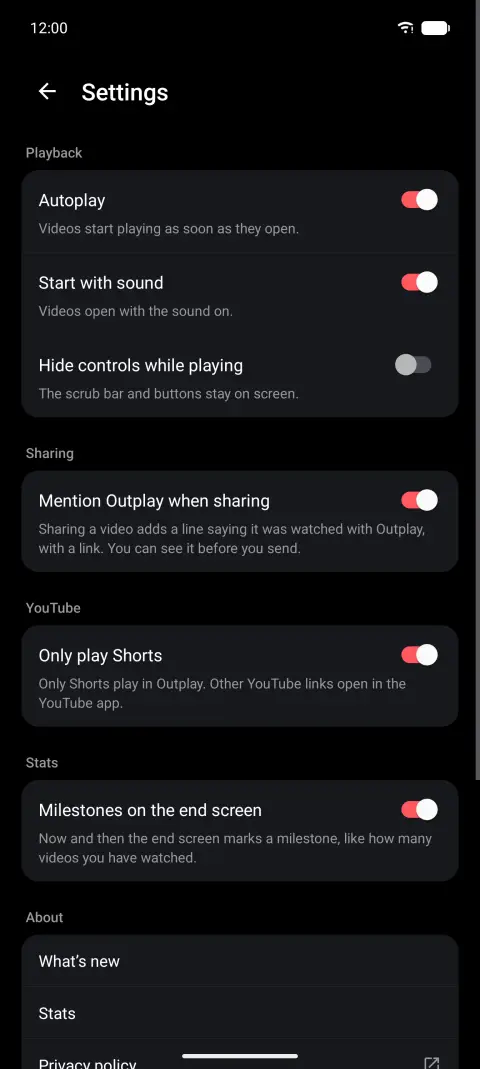
If you’d rather have Outplay play everything, open its Settings and turn off Only play Shorts, which is under the YouTube heading. Then watch?v= and youtu.be links play as well. Playlist and start-time parts of the link are dropped, so you get the one video from the start. Channel and playlist links still go to the YouTube app.
Getting a tap to reach Outplay
The YouTube app has to let go of its links first. Open Settings, then Apps, then YouTube, then Open by default. Turn off Open supported links. Android 17 shows only In the app and In your browser on this page, so pick In your browser. Then add Outplay’s links on its own Open by default page. YouTube’s rows in the Add link list are greyed out until YouTube has let go, so do this part first.
Outplay’s first-run setup walks through all of it, and the guide to links opening in the app has the same steps on paper, including Samsung phones.
Once YouTube’s links are ticked, every YouTube link goes through Outplay first. A video it won’t play is passed straight on to the YouTube app, and on the emulator it was tested on, that detour for an ordinary video took under a second.
If Shorts start opening in YouTube again, check the YouTube app’s Open by default page. Switching it back to In the app takes its links back, and Android doesn’t tell you.
Without changing any setting
Tap Share in the app the link came from and pick Outplay. Or copy the link and paste it into Outplay. Neither needs the setup above. If Share or paste sends you to YouTube, turn off Only play Shorts.
When a Short won’t play
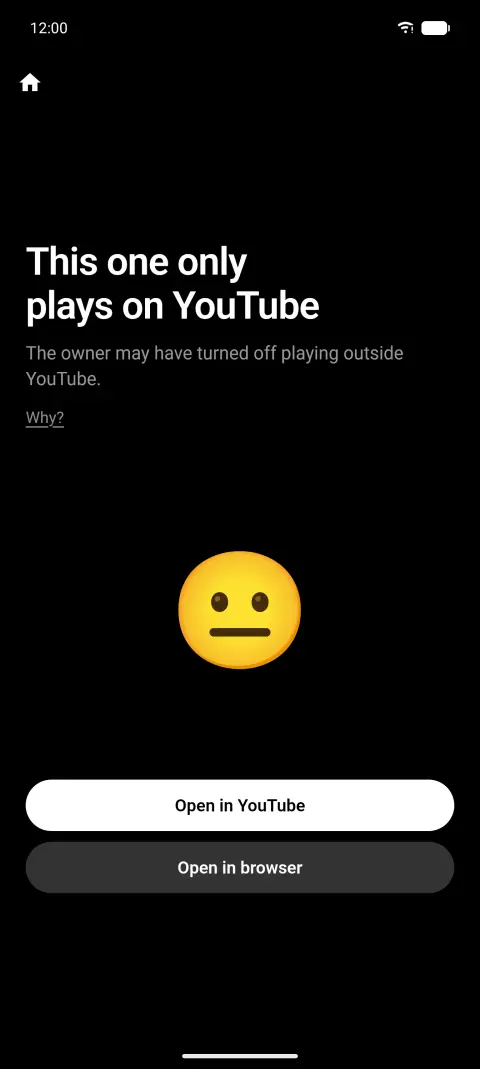
A Short can be refused by YouTube’s player when its owner has turned off embedding. Outplay then says so, with two buttons. Open in YouTube opens it in the app and Open in browser opens it in your browser.
Outplay is free and has no account. It shows one ad after a video ends, and a one-time purchase removes it.